
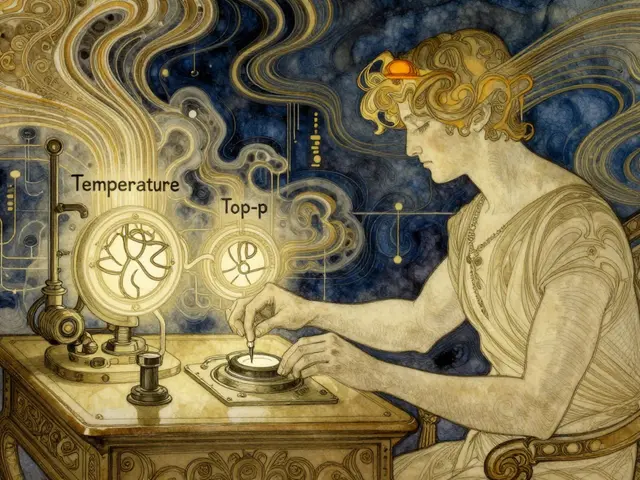
Have you ever asked an AI to write a simple email and received a response that sounded like it was written by a Shakespearean actor on caffeine? Or maybe you needed a creative brainstorming session, but the model gave you the same dry, robotic answer three times in a row. If so, you’ve run into the two most critical levers for controlling how Large Language Models behave: Temperature and Top-p (also known as Nucleus Sampling). These aren’t just random settings buried in a developer dashboard; they are the steering wheel and brakes of your AI’s output.
Most people treat these numbers like black magic dials-turn them up for creativity, turn them down for facts-but understanding what actually happens under the hood changes everything. It stops you from guessing and starts you from engineering. Let’s break down exactly how these parameters shape the words your model generates, why they matter more than you think, and how to set them for any task.
The Quick Takeaways
- Temperature controls how "flat" or "sharp" the model’s confidence is. Low temperature (0.0-0.2) means predictable, factual outputs. High temperature (0.8-1.5+) means wild, creative, but potentially incoherent outputs.
- Top-p acts as a dynamic filter. It keeps only the most likely tokens until their combined probability hits your threshold (e.g., 0.9). This prevents the model from picking absurdly unlikely words while still allowing variety.
- They work together. Temperature adjusts the probabilities first; Top-p then cuts off the long tail of unlikely options. Setting Temperature to 0 makes Top-p irrelevant because the model always picks the #1 option anyway.
- Default isn’t always best. Most platforms default to Temperature 0.7 and Top-p 0.9. For coding or data extraction, drop both. For creative writing, raise both.
How Temperature Actually Works
To understand Temperature, you first need to know that an LLM doesn’t decide on a word instantly. When you type "The cat sat on the," the model calculates a score (called a logit) for every single word in its vocabulary-millions of words. It might assign a high score to "mat," a medium score to "couch," and a near-zero score to "moon."
Temperature is a mathematical trick applied to those scores before the model converts them into percentages. Think of it like adjusting the contrast on a photo.
Low Temperature (e.g., 0.2): Imagine squeezing the scores. The gap between the highest-scoring word and the rest gets wider. The "mat" becomes overwhelmingly likely, while "couch" and "moon" become almost impossible. The result? Deterministic, consistent, and safe. This is perfect when you can’t afford hallucinations.
High Temperature (e.g., 1.5): Now imagine flattening the scores. The gap shrinks. "Moon" suddenly has a decent chance of being picked because the model’s confidence is diluted. The result? Surprising, diverse, and sometimes nonsensical. This is great for poetry or brainstorming, terrible for legal contracts.
Temperature = 0: This is the nuclear option. The model ignores randomness entirely. It always picks the single highest-probability token. If you run the same prompt ten times with Temperature 0, you get the exact same output ten times. In this state, Top-p and Top-k settings don’t matter at all because there is no choice to be made.
Understanding Top-p (Nucleus Sampling)
If Temperature adjusts the landscape, Top-p draws the boundary lines. Also called Nucleus Sampling, this method works differently than its older sibling, Top-k.
Top-k says, "Give me the top 50 most likely words, and pick one randomly." The problem? Sometimes the top 50 includes garbage if the model is uncertain. Other times, the top 3 are all perfect, and limiting it to 50 adds unnecessary noise.
Top-p is smarter. It says, "Start from the most likely word and keep adding words until their combined probability reaches my threshold (say, 90%)."
Here’s how that plays out in real life:
Imagine the model predicts the next word after "Paris is the capital of."
- France: 95% probability
- Europe: 4% probability
- Brazil: 1% probability
If you set Top-p to 0.9, the algorithm looks at "France" (95%). Since 95% > 90%, it stops right there. The pool contains only "France." The model picks France. It’s precise.
Now imagine a harder sentence: "The scientist discovered a new element called..."
- Xenon-12: 40% probability
- Ununennium: 30% probability
- Zirconium: 20% probability
- Gold: 10% probability
With Top-p at 0.9, the model adds Xenon-12 (40%), Ununennium (70%), Zirconium (90%). It stops. Gold (which would push it to 100%) is excluded because it’s too unlikely given the context. The model then randomly picks from those three plausible options. This keeps the output creative but grounded in reality.

The Interaction: Why You Need Both
You might wonder, "Why not just use one?" The truth is, they fix each other’s blind spots.
Temperature alone can make the model too erratic. If you set Temperature to 1.0, the model might occasionally pick a word with 0.0001% probability because the distribution is so flat. That’s where Top-p comes in-it chops off that dangerous tail, ensuring you never get completely absurd results unless you explicitly want them.
Conversely, Top-p alone can be too rigid. If the model is confident about a boring word, Top-p might restrict you to just that one word even if you wanted variety. Temperature softens the probabilities, giving Top-p a richer pool to sample from.
| Temperature | Top-p | Result | Best Use Case |
|---|---|---|---|
| Low (0.0 - 0.2) | Low (0.1 - 0.3) | Highly deterministic, repetitive, focused | Data extraction, code generation, math |
| Medium (0.5 - 0.7) | Medium (0.5 - 0.8) | Balanced, coherent, slightly varied | General chat, summarization, drafting |
| High (0.8 - 1.5+) | High (0.9 - 0.95) | Creative, diverse, potentially incoherent | Brainstorming, fiction, marketing copy |
| Any | 1.0 | No filtering; behaves like pure Temperature | Rarely used; risks gibberish |
Setting the Right Parameters for Your Job
There is no universal "best" setting. The right configuration depends entirely on what you’re trying to achieve. Here’s a practical guide based on common scenarios.
Scenario 1: Coding and Logic
When generating Python scripts or SQL queries, you want consistency. A small syntax error breaks the code. You don’t want the model to be "creative" with variable names.
Recommended: Temperature 0.0-0.2, Top-p 0.1-0.3.
Why: This forces the model to stick to standard conventions and high-probability syntax patterns.
Scenario 2: Factual Q&A and Summarization
You’re asking the model to summarize a news article or answer questions about history. You want accuracy, not flair.
Recommended: Temperature 0.1-0.3, Top-p 0.5-0.7.
Why: Low temperature reduces hallucination risk. Moderate Top-p allows for natural phrasing without drifting into unrelated topics.
Scenario 3: Creative Writing and Brainstorming
You’re writing a sci-fi novel or generating ad slogans. You’re stuck in a rut and need the model to surprise you.
Recommended: Temperature 0.8-1.2, Top-p 0.9-0.95.
Why: Higher temperature introduces rare word choices. High Top-p ensures those choices are still grammatically and contextually plausible.
Scenario 4: Customer Service Chatbots
You need polite, helpful, and consistent responses. You don’t want the bot to sound like a different person every time.
Recommended: Temperature 0.3-0.5, Top-p 0.7-0.8.
Why: This strikes a balance. It’s not robotic (Temp 0), but it won’t go off-script (Temp 1.0).

Common Pitfalls and Pro Tips
Pitfall 1: Ignoring the Prompt Quality
No amount of tuning will save a vague prompt. If your instruction is unclear, lowering the temperature won’t magically make the model guess correctly. It will just confidently give you the wrong answer. Always start with clear instructions before tweaking parameters.
Pitfall 2: Over-relying on Defaults
Many APIs default to Temperature 0.7 and Top-p 0.9. This is a "safe middle ground" designed for general chat. If you’re building a specific tool, these defaults are often suboptimal. Test aggressively. Run the same prompt five times with different settings and compare the outputs.
Pro Tip: Use Stop Sequences
Sometimes the issue isn’t creativity; it’s verbosity. If the model keeps rambling, don’t just lower the temperature. Add Stop Sequences (like "\n\n" or "User:") to force the model to stop at logical boundaries. This works alongside Temperature and Top-p to control structure.
Pro Tip: Iterate Incrementally
Don’t jump from Temperature 0.1 to 1.5. Move in steps of 0.1 or 0.2. Small changes can have big effects depending on the model’s architecture. Note which setting produced the best result for your specific use case.
Final Thoughts on Control
Mastering Temperature and Top-p transforms you from a passive user into an active engineer. You stop hoping the AI gives you a good answer and start designing the conditions for it to happen. Whether you’re extracting structured data from messy documents or writing a gripping story, these two parameters are your primary tools. Experiment, test, and find the sweet spot for your specific needs.
What is the difference between Temperature and Top-p?
Temperature adjusts the probability distribution of all possible tokens, making the model more or less confident in its choices. Top-p (Nucleus Sampling) filters out the least likely tokens until the remaining ones reach a cumulative probability threshold. Temperature shapes the curve; Top-p cuts off the tail.
Should I use Temperature 0 for coding tasks?
Yes, Temperature 0 is often ideal for coding because it ensures deterministic, repeatable outputs. However, some developers prefer a very low temperature (0.1-0.2) to allow slight variations in variable naming or comment style, which can sometimes help avoid getting stuck in a loop.
What does Top-p 0.9 mean in practice?
Top-p 0.9 means the model considers only the smallest set of tokens whose combined probability equals 90%. This excludes extremely unlikely words while preserving enough variety for natural-sounding text. It’s a common default for general-purpose chat.
Can I use both Top-k and Top-p at the same time?
Technically yes, but it’s rarely recommended. Top-p is generally considered superior because it adapts to the model’s confidence level. Using both can create conflicting constraints that make behavior unpredictable. Stick to Top-p for most applications.
Why does my AI output look repetitive?
Repetitive output usually indicates a Temperature that is too low (close to 0) or a Top-p that is too restrictive. Try increasing Temperature to 0.5-0.7 and raising Top-p to 0.8-0.9 to introduce more variety into the generated text.
Is higher Temperature always better for creativity?
Not necessarily. While higher Temperature increases diversity, going too high (above 1.2-1.5) can lead to incoherent, nonsensical, or grammatically broken text. The goal is to find the balance point where creativity exists without sacrificing basic readability.





Megan Blakeman
May 4, 2026 AT 00:18Oh my gosh! This is such a helpful breakdown!! I always just guessed with the sliders before... but now it makes so much sense!! The photo contrast analogy was genius!! :)
I tried setting temp to 0.2 for my resume drafting and wow, it stopped adding those weird creative flourishes I didn't ask for!! It was just straight facts!! So clean!! I feel like I finally understand what I'm doing instead of just hoping for the best!! Thanks for sharing this!! :)
Akhil Bellam
May 4, 2026 AT 09:11Pah! How utterly pedestrian of you to reduce the sublime art of stochastic token generation to mere "dials" and "brakes"!! You clearly lack the intellectual fortitude to grasp the nuanced beauty of probability distributions!! Most people here are too simple-minded to understand that Top-p is not merely a filter, but a philosophical stance on the nature of certainty itself!! And don't get me started on your condescending tone about "black magic"-it is mathematics, you philistine!! If you truly understood the elegance of nucleus sampling, you would bow before its complexity rather than trying to simplify it for the masses!!
Amber Swartz
May 4, 2026 AT 22:38Ugh, can we please stop pretending these defaults work for anything other than basic chat?? I literally wasted three hours debugging code because the model kept hallucinating variable names despite having low temperature!! It's insane how many tutorials ignore the fact that prompt quality matters more than any parameter tweak!! If your prompt is vague, no amount of tuning will save you!! Stop blaming the AI and start fixing your instructions!!
Robert Byrne
May 5, 2026 AT 11:07You're completely missing the point here!! Lowering the temperature doesn't fix bad prompts!! It just makes the model confidently wrong!! I've seen this happen over and over again in production environments!! People think they're being precise by cranking down the settings, but they're actually creating brittle systems that fail spectacularly when faced with edge cases!! You need to iterate incrementally, not jump from 0.1 to 1.5 like a maniac!! Read the section on common pitfalls!!
Tia Muzdalifah
May 7, 2026 AT 10:25hey i kinda agree with amber tho lol. like i tried using high temp for my marketing copy and it got real weird real fast. one time it suggested we sell our products on mars or something?? pretty funny though. i usually stick to medium settings cause its safer. but yeah, if u want creativity u gotta take some risks i guess. also typos happen less when temp is lower which is nice for professional stuff.
Zoe Hill
May 9, 2026 AT 05:18Wow this is such a great explanation!! I never realized that Top-p adapts to confidence levels automatically!! That's so smart!! I used to struggle with repetitive outputs all the time until I started raising Top-p slightly along with Temperature!! It really does make a huge difference in how natural the text sounds!! Keep up the amazing work!! 🌟
Albert Navat
May 10, 2026 AT 05:31Let's cut through the noise here. The interaction between softmax scaling via temperature and cumulative probability truncation via top-p is fundamental to controlling entropy in LLM inference pipelines. Most devs ignore the fact that setting temp=0 renders top-p moot because the argmax operation dominates entirely. You need to understand the underlying logits manipulation to effectively tune these hyperparameters for specific downstream tasks like code synthesis versus creative writing. Stop treating them as black box UI elements.
King Medoo
May 10, 2026 AT 11:55It is morally imperative that we use these tools responsibly!! When we allow models to generate unverified creative content without proper constraints, we risk spreading misinformation and eroding trust in digital communication!! I believe that sticking to deterministic outputs for factual queries is not just a technical preference, but an ethical obligation to truth!! We must prioritize accuracy over flair at all costs!! 🙏✨