
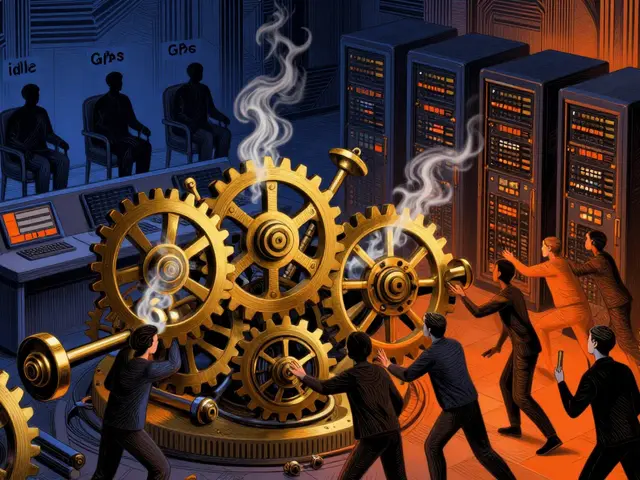
Imagine paying for a fleet of high-end sports cars but only using them to drive to the mailbox once an hour. That is essentially what happens when you deploy Large Language Models (LLMs) without proper scheduling strategies. The hardware sits idle while your requests queue up, burning cash and frustrating users. As we move through 2026, scaling these models isn't just about throwing more GPUs at the problem; it's about how smartly you orchestrate the work those chips do.
The core issue is simple: LLMs are autoregressive. They generate text one token at a time. This creates a massive mismatch between the compute-heavy "prefill" phase (processing the prompt) and the memory-bound "decode" phase (generating the response). If your scheduler treats every request the same way, your GPU utilization might hover around 30-40%. With modern scheduling techniques, you can push that number to over 80%, cutting costs by nearly 87% according to recent benchmarks. Let’s break down exactly how to achieve this.
Why Traditional Scheduling Fails LLMs
To fix the problem, you first need to understand why standard web server logic doesn’t apply here. In traditional deep learning or static image classification, you batch requests together, process them all at once, and send them out. It’s predictable. LLMs are different because no two outputs have the same length. One user asks for a short summary; another wants a 2,000-word essay. If you batch them together, the short task finishes early but has to wait for the long one to complete before the next batch starts. This is called "padding waste," and it kills efficiency.
Dr. Jane Chen from NVIDIA put it bluntly in 2025: "Without sophisticated scheduling, 65-75% of your GPU capacity sits idle during LLM inference due to the fundamental mismatch between batch processing and autoregressive generation patterns." That idle time is money going straight into the trash. The goal of modern scheduling is to keep the GPU busy with *something* useful at every single millisecond, regardless of where each individual request is in its lifecycle.
The Power of Continuous Batching
The biggest leap forward in LLM serving came with the introduction of Continuous Batching, also known as In-flight Batching. Instead of waiting for a fixed batch size to fill up, continuous batching dynamically adds new requests to the current batch as soon as space becomes available. When a short request finishes generating, its spot in the GPU memory is immediately freed up and filled by a new incoming prompt.
Systems like vLLM popularized this approach. By implementing techniques like PagedAttention, which manages the Key-Value (KV) cache efficiently, vLLM reduces memory fragmentation by over 40%. This means you can pack more active requests into the same amount of VRAM. In real-world tests, switching from naive static batching to continuous batching increased throughput by 3.7x and reduced tail latency by 62%. For any team scaling beyond a few hundred concurrent requests, this is non-negotiable.

Predicting Output Lengths for Smarter Grouping
Even with continuous batching, you can optimize further by grouping similar tasks. This is where sequence scheduling comes in. If you know Request A will take 10 seconds and Request B will take 10 minutes, you shouldn't necessarily process them in the exact same micro-batch if their memory footprints differ wildly.
Advanced schedulers use lightweight predictor models-often small classifiers attached to the main LLM-to estimate how long a response will be before it even starts generating. Zheng et al. demonstrated in 2023 that binning requests by predicted output length (e.g., in 50-token increments) reduced padding waste by 22.3%. Think of it like packing a suitcase: you group socks with socks and shirts with shirts to maximize space. Systems like Sarathi-Serve use these predictions to create micro-batches that finish around the same time, keeping the pipeline smooth and preventing head-of-line blocking.
| Strategy | Throughput Efficiency | Implementation Complexity | Best Use Case |
|---|---|---|---|
| Static Batching | Low (30-40%) | Low | Experimental prototypes, low traffic |
| Continuous Batching (vLLM) | High (70-85%) | Medium | General production workloads |
| Prediction-Based (Sarathi) | Very High (up to 98.7%) | High | High-volume, variable-length queries |
| Hierarchical/Layer-Level | High (with strict latency SLOs) | Very High | Multi-tenant enterprise clusters |
Managing Memory and Cache Efficiently
Memory is the bottleneck in LLM inference, not compute. Once the model processes the initial prompt, it must store the context (the KV cache) for every token generated so far. If you have thousands of concurrent conversations, this cache grows exponentially.
This is where tools like PagedAttention shine. Borrowed from operating system memory management, PagedAttention breaks the KV cache into non-contiguous blocks. This eliminates internal fragmentation, allowing the system to utilize almost every byte of GPU VRAM. Combined with prefix-aware routing-where systems like llm-d detect if a user’s prompt overlaps with a previously processed context-you can reduce the time-to-first-token by over 60ms. For conversational AI, shaving off milliseconds on the first token makes the experience feel instant to the human user.

Choosing the Right Tool for Your Scale
Not every organization needs the most complex scheduler. The right choice depends on your traffic volume and latency requirements.
- Start with vLLM: If you are new to LLM serving, start here. It offers continuous batching out of the box, has excellent documentation, and a massive community. You can see 2-3x throughput improvements within days of implementation.
- Move to Sarathi-Serve or Orca: If you are handling thousands of concurrent requests with highly variable lengths, these prediction-based schedulers offer better efficiency. Expect a longer integration time (6-8 weeks), but the ROI pays for itself quickly at scale.
- Consider Cloud-Native Solutions: AWS SageMaker and Google Vertex AI now include built-in scheduling layers. If you want to minimize engineering overhead, these managed services handle the complexity for you, though they may cost more per unit of compute than self-hosted solutions.
Professor David Wagner from UC Berkeley noted that current scheduling represents the "single largest untapped optimization opportunity in LLM serving." By 2026, Gartner predicts that 85% of enterprise LLM deployments will incorporate specialized scheduling. The technology is maturing rapidly, with new versions like vLLM 0.5.0 introducing adaptive token budgeting to balance prefill and decode phases even better.
Avoiding Common Pitfalls
While the benefits are clear, there are traps. First, don't over-engineer. If your app has sub-200ms latency requirements, overly complex scheduling algorithms might add 15-20ms of overhead, negating the gains. Second, watch out for distribution shifts. Dr. Sarah Kim from MIT warned that prediction models can fail catastrophically if input patterns change unexpectedly, leading to throughput drops. Always implement fallback mechanisms and monitor prediction accuracy closely. Finally, ensure your team has the right skills. Implementing advanced schedulers requires expertise in distributed systems and transformer architecture. If you lack this internally, consider managed cloud options until your team is ready.
What is continuous batching in LLM serving?
Continuous batching, or in-flight batching, is a technique where new requests are added to the GPU batch as soon as previous requests finish generating tokens, rather than waiting for a full batch cycle. This keeps the GPU utilized near capacity by eliminating idle time between batches.
How much can scheduling improve GPU utilization?
With naive scheduling, GPU utilization often stays below 40%. Modern strategies like continuous batching and PagedAttention can increase utilization to 70-85%, effectively doubling or tripling throughput without adding more hardware.
Is vLLM suitable for production environments?
Yes, vLLM is widely used in production. It offers robust continuous batching, strong community support, and ease of integration. For most teams starting with LLM scaling, it provides the best balance of performance and implementation speed.
What is the role of prediction models in LLM scheduling?
Prediction models estimate the length of an LLM's output before generation begins. This allows the scheduler to group requests with similar expected durations together, reducing padding waste and improving overall throughput efficiency by up to 22%.
When should I switch from static to dynamic scheduling?
You should consider switching when you hit concurrency limits (around 500+ concurrent requests) or when manual optimization becomes too difficult. At this scale, the cost savings from improved utilization typically outweigh the engineering effort required for integration.







Jacob Baby Official
August 7, 2026 AT 19:10Another day another article pretending that software engineering is a magic wand for hardware inefficiency. You people are delusional if you think scheduling fixes the fundamental bloat of these models. The real issue is that we are trying to run neural nets on silicon designed for gaming graphics cards in 2015. It's like using a sledgehammer to crack a nut but the nut is made of diamond and the hammer is made of cheese.
And don't get me started on this "continuous batching" hype. It's just repackaged load balancing with extra steps and a marketing budget. I've seen clusters where vLLM actually increased latency because the context switching overhead was higher than the compute savings. You're optimizing for throughput while ignoring the user experience which is what actually matters. If my response takes 4 seconds instead of 3 but costs less, who cares? The user doesn't see your GPU utilization graph. They see a spinning wheel.
The industry is sleepwalking into a memory wall crisis and you're all dancing around it with fancy schedulers. We need new architectures not better traffic cops. This whole post is just corporate speak for "we bought too many H100s and now we need to justify the capex." Wake up.
Anthony Miller
August 8, 2026 AT 14:52You missed the point entirely because you never read past the title. Your opinion is irrelevant here. Stop wasting everyone's time with your contrarian nonsense. Just shut up and let the engineers work. You are annoying.
john randall
August 8, 2026 AT 20:22I mean, fair points about the latency trade-off though. I switched our staging environment to vLLM last month and the throughput did jump significantly but the p99 latency got a bit wonky during peak hours. We ended up having to tune the max batch size down quite a bit to keep things stable. It's definitely not plug-and-play if you have strict SLOs. Good write up on the theory at least.
Jeff Falcon
August 10, 2026 AT 14:29Oh man, this is such a great breakdown of why we were burning cash left and right! I completely agree with the part about PagedAttention being a game changer, honestly! We implemented something similar in our internal tools and the difference in VRAM usage was absolutely night and day! It's crazy how much fragmentation we had before, just wasted space everywhere! I really appreciate how you explained the prefill vs decode mismatch because that was always confusing to me until I saw it visualized like this! Thanks for sharing this info, it's super helpful for anyone trying to optimize their stack!
michelle veluz
August 11, 2026 AT 23:23Wait... so you're telling me that Big Tech has been lying to us about efficiency?! This feels like another cover-up! Are they hiding data? Is the government involved in this scheduling algorithm stuff?! I bet the prediction models are backdoored! Why does no one talk about the privacy implications of grouping requests by length?! It's obviously a surveillance tool! WAKE UP PEOPLE!!!