From Search Bars to Direct Answers
Remember the last time you needed a specific policy document or a technical specification? You probably typed a few keywords into your company’s search bar, got fifty results, and clicked through them one by one. That friction is exactly what Generative AI is fixing in the world of enterprise knowledge management. We are moving past the era of "finding" documents. Instead, we are entering an age where systems provide direct, synthesized answers.
This shift represents a massive change in how businesses handle information. Traditional systems act like libraries; they store books (documents) and help you find the right shelf. Modern Answer Engines act more like librarians who read every book and then summarize the exact answer you need. According to research cited by Harvard Business Review, this evolution focuses on increasing "question velocity"-how fast employees can get answers-and "question variety," allowing for more complex queries than simple keyword matches.
The core promise here is efficiency. IBM case studies show that these intelligent systems can reduce information retrieval time by up to 75%. If your team spends hours digging through SharePoint folders, an answer engine could cut that down to minutes. This isn't just about speed; it's about keeping context. When an AI summarizes a contract clause, it pulls from multiple sources to give you the full picture, rather than forcing you to piece it together yourself.
How Answer Engines Actually Work
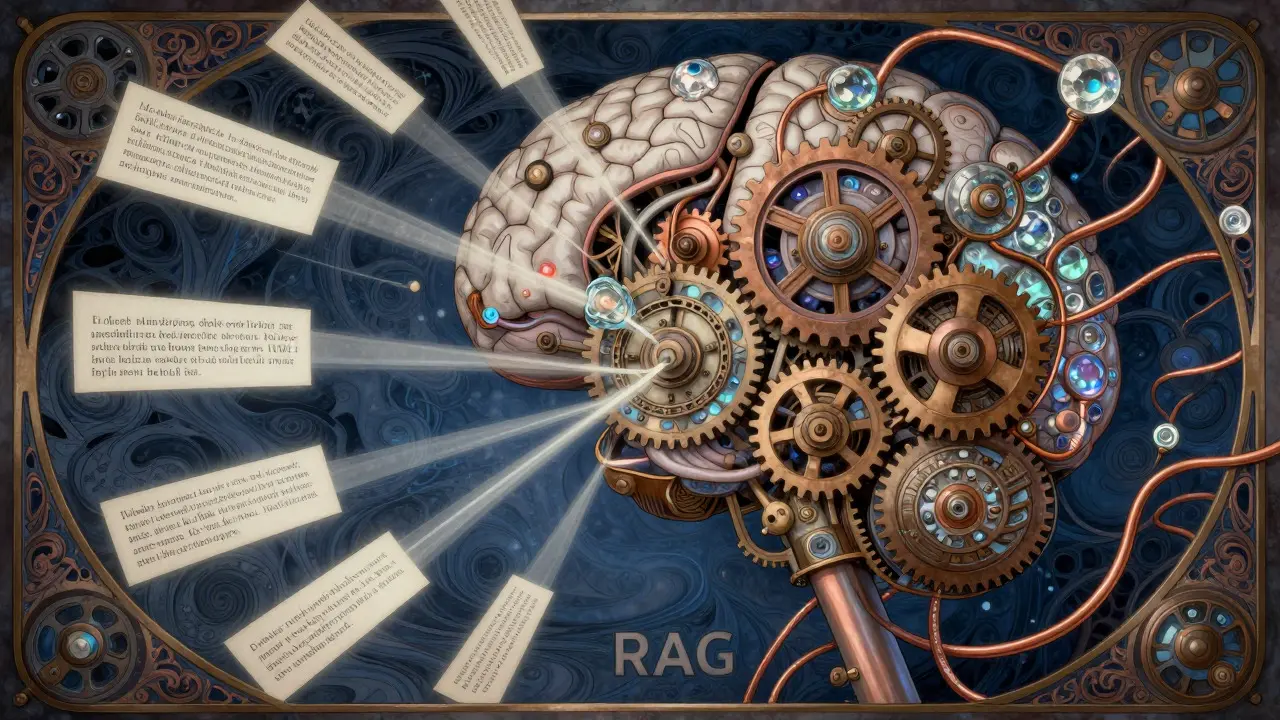
To understand why these tools are so effective, you have to look under the hood. The magic happens through a combination of transformer-based language models and a technique called Retrieval-Augmented Generation (RAG). This architecture ensures that the AI doesn't just guess; it grounds its responses in verified organizational data.
- Data Ingestion: The system connects to your existing repositories-SharePoint, Confluence, Salesforce, or internal databases. It reads and indexes unstructured text.
- Semantic Understanding: Unlike old search engines that looked for exact word matches, these systems understand meaning. Asking for "refund rules" works even if the document says "return policies."
- Retrieval: When you ask a question, the RAG model searches the indexed data for relevant chunks of information.
- Generation: The generative AI synthesizes those chunks into a coherent, natural-language answer, often citing the source documents.
This process relies heavily on Knowledge Graphs, which map relationships between concepts. For example, the system understands that "Project Alpha" relates to "Client Beta" and "Q3 Budget." This structure allows for much higher accuracy. Glean reports that organizations using these tools see a 4.2x faster information retrieval rate compared to traditional search. However, the technology has limits. It struggles with highly structured numerical data or complex financial modeling where precision is critical. It is great for explaining a process, but not necessarily for running a spreadsheet calculation.
The Real-World Impact on Business
Let's talk about what this means for your daily operations. The most immediate benefit is seen in onboarding. New hires often spend weeks trying to figure out where things are. Glean reported a 50% acceleration in onboarding processes when their tool was implemented. Imagine a new employee asking, "What is our expense reporting procedure?" and getting a step-by-step guide instantly, rather than hunting through HR wikis.
In customer service, the impact is equally significant. Reply documented a 35% improvement in customer satisfaction scores in contact centers using AI-powered knowledge bases. Agents can access precise product details in seconds, reducing call times and improving resolution rates. These systems handle 60-70% of routine inquiries without human intervention, freeing up staff to deal with complex issues.
| Feature | Traditional Search (e.g., SharePoint) | AI Answer Engine (RAG) |
|---|---|---|
| Search Method | Keyword matching | Semantic understanding |
| Output Format | List of document links | Synthesized direct answer |
| Accuracy Rate | 35-45% | 85-92% |
| Resolution Time | 15-30 minutes | Under 2 minutes |
| User Effort | High (manual review) | Low (conversational) |
However, don't expect a silver bullet. A user on Reddit shared their experience deploying Kyndi across a 500,000-document HR repository. While lookup time dropped from 20 minutes to 35 seconds, they initially faced an 18% error rate due to inconsistent document formatting. This highlights a crucial point: the technology is only as good as the data you feed it.
Implementation Challenges and Data Quality
If you are considering rolling out an answer engine, prepare for some heavy lifting before you see the benefits. Implementation typically takes 8-16 weeks for enterprise deployments. The first 4-6 weeks are almost entirely dedicated to data preparation.
Dr. Jane Chen, an AI Ethics Researcher at MIT, warns that "unvalidated AI responses risk propagating organizational misinformation at unprecedented scale." This phenomenon, known as hallucination, occurs when the AI makes up facts. Hallucination rates can range from 5% to 15% depending on data quality. To mitigate this, you need clean, well-organized data. Glean's analysis shows that organizations with low metadata quality experience three times more inaccurate responses.
Common challenges include:
- Inconsistent Formatting: Handwritten notes or poor-quality scans are hard for AI to parse.
- Lack of Standardized Terminology: If one department calls it "client" and another calls it "customer," the AI gets confused.
- Legacy System Integration: Older systems without modern APIs are difficult to connect, cited in 34% of negative reviews on G2.
The solution involves automated document classification tools, which can reduce manual tagging efforts by 80%, according to Greenbook.org. You also need to establish clear metadata standards. Without them, your answer engine will struggle to distinguish between current policies and outdated drafts.

Market Landscape and Future Trends
The market for AI-driven knowledge management is exploding. Valued at $8.7 billion in 2024, it is projected to reach $22.3 billion by 2027. Enterprise adoption has surged from 12% in 2022 to 58% in 2025, with financial services and healthcare leading the charge. Why? Because regulatory compliance requires precise, auditable answers.
Several key players dominate this space. Microsoft offers Copilot for Microsoft 365, integrating directly into the tools many companies already use. Kyndi specializes in building custom answer engines for large enterprises. There are also open-source options like LangChain for developers who want more control. When choosing a vendor, consider your existing tech stack. If you live in Azure and Teams, Microsoft's integration might be smoother. If you have a complex, multi-source environment, a specialized player like Kyndi might offer better flexibility.
Looking ahead, the next big leap is multimodal processing. Current systems mostly handle text. By 2027, Gartner predicts that 30% of implementations will incorporate images, videos, and audio. Imagine asking an AI to explain a safety protocol and having it pull a relevant video clip along with the text summary. Additionally, features like "knowledge provenance tracing," introduced by Microsoft in early 2025, allow users to visually map every part of an answer back to its source document, boosting trust and transparency.
Getting Started: A Practical Checklist
If you want to move from curiosity to implementation, start small. Don't try to boil the ocean. Pick a high-value, contained domain like HR policies or IT support tickets.
- Audit Your Data: Identify which documents are accurate, current, and properly formatted.
- Define Success Metrics: Are you measuring reduction in ticket volume? Faster onboarding? Define this upfront.
- Pilot with a Small Team: Get feedback from power users. They will spot hallucinations and usability issues quickly.
- Establish Feedback Loops: Implement mechanisms for users to thumbs-up or thumbs-down answers. This continuous improvement can boost accuracy by 3-5% monthly.
- Ensure Governance: Assign ownership. Who validates the sources? Who updates the training data?
Remember, the goal isn't just to install software. It's to create a culture where knowledge flows freely and accurately. As Dr. John Smith from IBM noted, generative AI changes knowledge management from a passive repository to an active advisor. Make sure your organization is ready to listen.
What is Retrieval-Augmented Generation (RAG)?
RAG is a technical architecture used in AI systems that combines a large language model with a retrieval system. Instead of relying solely on its pre-trained data, the AI retrieves specific, relevant information from your private enterprise documents before generating an answer. This reduces hallucinations and ensures the response is grounded in your actual company data.
How long does it take to implement an AI answer engine?
For enterprise-level deployments, implementation typically takes 8 to 16 weeks. The initial 4 to 6 weeks are usually spent on data preparation, cleaning, and metadata standardization. Smaller pilots may take less time, but comprehensive rollouts require significant effort to ensure data quality and integration with existing systems like SharePoint or Salesforce.
Are AI answer engines secure for sensitive business data?
Security depends on the vendor and configuration. Most enterprise solutions integrate with single sign-on providers like Okta or Azure AD and offer role-based access controls. However, you must ensure compliance with regulations like GDPR or HIPAA. Look for features like data residency controls and audit logs. Always verify that the AI provider does not use your proprietary data to train their public models.
What is the biggest risk of using generative AI for knowledge management?
The primary risk is hallucination, where the AI generates plausible-sounding but incorrect information. This can lead to operational errors or compliance issues. To mitigate this, choose systems that cite sources, allow for human-in-the-loop validation, and maintain high metadata quality. Regular monitoring and user feedback loops are essential to catch and correct inaccuracies.
Which industries are adopting AI knowledge management fastest?
Financial services, healthcare, and technology sectors are leading the adoption, with rates reaching over 65% in 2025. These industries deal with vast amounts of complex, regulated documentation. The ability to quickly retrieve accurate, compliant information provides a significant competitive advantage and operational efficiency in these fields.