
When you ask an AI chatbot a question, it doesn’t just spit out an answer right away. Behind the scenes, dozens-if not hundreds-of other requests are being processed at the same time. That’s because modern LLM serving doesn’t handle requests one by one. It batched generation-grouping multiple prompts together to squeeze every ounce of performance out of expensive GPUs. But here’s the catch: how those requests are scheduled can make your answer come back in 0.8 seconds… or 3.2 seconds. And it’s not just about speed. It affects reliability, fairness, and even cost.
Why Batching Matters More Than You Think
Early LLM deployments treated each request like a solo piano recital: one prompt, one GPU cycle, one output. Simple. Predictable. But terribly inefficient. A single long prompt could lock up a GPU for seconds while the rest of the system sat idle. With thousands of users hitting APIs every minute, that kind of waste added up fast-literally costing companies thousands in idle GPU time. Enter batching. Instead of running requests one at a time, systems group them into batches and process them together. Think of it like carpooling: instead of sending 100 cars down the highway one by one, you pack 20 people into five vans. You use less fuel, get more people where they’re going, and reduce traffic. That’s what batching does for LLMs. But not all batching is the same. The old-school method, called static batching, waits for every request in the batch to finish before moving on. If one request has a 500-token reply and the others only need 50, everyone waits. The GPU sits idle 40-60% of the time. That’s unacceptable at scale.Continuous Batching: The Game Changer
The real breakthrough came with continuous batching, introduced around 2022-2023 by teams at UCSD, Meta, and startups like Anyscale. This isn’t just batching-it’s dynamic, real-time reshuffling. Here’s how it works: instead of locking a batch in place, the system watches each request as it generates tokens. When one finishes, it immediately pulls in a new one from the waiting queue. No waiting. No idle time. The batch keeps growing and shrinking like a living thing. This is what powers vLLM, TensorRT-LLM, and Text Generation Inference today. In production, these systems handle billions of tokens daily across AWS, Google Cloud, and Azure. And they’re fast: benchmarks show 3-5x higher throughput than static batching. One test on an NVIDIA A100 hit 1,452 tokens per second using continuous batching-something static batching could never match. But there’s a hidden cost: complexity. Because the system is constantly reorganizing, it’s harder to predict exactly when your request will finish. Users report confusion: “I sent 1,000 prompts at once, but why is my response taking longer than the guy who asked after me?” That’s not a bug-it’s how continuous batching works.How Scheduling Decides Who Goes First
It’s not enough to just batch requests. You need to decide which requests go into the batch and when. That’s scheduling. And not all scheduling algorithms are created equal. The simplest approach? FIFO-First In, First Out. Like a line at the grocery store. But if someone with a huge cart (a long prompt) gets in front, everyone else waits. That’s bad for fairness and latency. A smarter option is length-aware scheduling. It groups similar-length requests together. Short prompts with short prompts. Long ones with long ones. This helps reduce wasted space in the batch. But it still doesn’t account for how long a request will take to generate. A short prompt might lead to a 400-token answer. A long one might only need 80. Length-aware scheduling misses that. The most advanced method? Learning-to-rank scheduling. This uses machine learning to predict how long each request will take to generate-based on prompt length, topic, even past behavior. A system like the one from UCSD’s Hao AI Lab trains on 10,000 real-world examples to learn these patterns. The result? 23.7% higher throughput than FIFO, and 15.3% better than length-aware methods. And then there’s Magnus, a newer system from a 2024 arXiv paper. It doesn’t just predict generation length-it uses a scheduling policy called HRRN (Highest Response Ratio Next), which prioritizes requests that have waited the longest relative to how long they’ll take. The outcome? 22.8% lower average latency than standard continuous batching.
Memory Is the Silent Bottleneck
You can have the best scheduler in the world, but if your GPU runs out of memory, everything crashes. The biggest memory hog? The Key-Value (KV) cache. Every time the model generates a token, it stores past context so it can reference it later. For long conversations, that cache balloons fast. Traditional systems store the KV cache as one big, continuous block. That leads to fragmentation-like trying to fit a 100MB file into a 1GB hard drive that’s full of tiny gaps. You can’t use those gaps. So you waste memory. Enter PagedAttention, developed by the vLLM team. It breaks the KV cache into small 16KB blocks-like pages in an operating system. These blocks can be scattered across memory. When a request needs context, the system grabs the exact blocks it needs, no matter where they are. The result? Up to 70% less memory fragmentation. That means you can fit 2-3x more requests in the same GPU memory. In practice, this lets vLLM handle 256 sequences per batch (default) and up to 4,096 total tokens per batch. Without PagedAttention, you’d hit memory limits long before reaching those numbers.What Happens When Requests Are Unfairly Treated
Here’s a real problem: starvation. A request can sit in the queue for minutes if it’s always pushed out by newer, shorter ones. Imagine ordering coffee and waiting 10 minutes while 20 people who asked after you get served first. That’s not just frustrating-it’s unacceptable for business-critical apps. Solutions like the Hao AI Lab system include starvation prevention. If a request has waited longer than 200-500 milliseconds, its priority gets a temporary boost. It’s like giving someone a VIP pass after they’ve waited too long. This keeps fairness high without killing throughput. Another innovation comes from Llumnix, presented at USENIX OSDI 2024. It doesn’t just schedule within one GPU instance-it moves requests between different model instances in real time. If one server is overloaded, it shifts some requests to another. That boosted throughput by 28.7% under mixed workloads.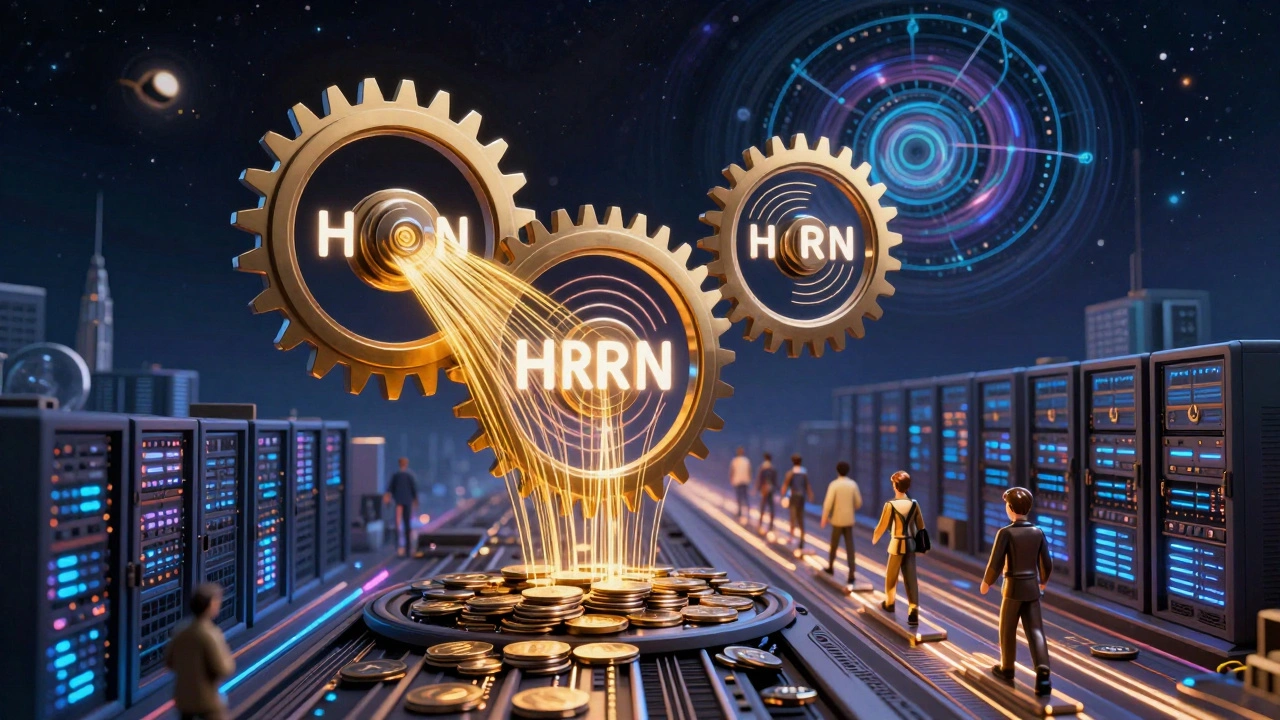
Real-World Trade-Offs
There’s no perfect system. Every choice has a cost. - Learning-to-rank gives you 20%+ more throughput-but requires training on real user data. You need 10,000+ labeled examples. That’s 4-6 hours of live traffic. Not feasible for small teams. - Magnus cuts latency but needs four separate components: a length predictor, an adaptive batcher, a time estimator, and a scheduler. That’s complex to deploy and debug. - Static batching is easy to understand but wastes 40-60% of GPU power. Only viable for tiny, low-traffic apps. - Continuous batching is the sweet spot for most: high throughput, good latency, and open-source tools like vLLM make it accessible. But it’s a black box. You can’t easily control which request gets processed when. Most companies today use continuous batching with default settings. But if you’re running a customer service bot handling 50,000 requests a day, you’re leaving money on the table. One Fortune 500 company improved efficiency by 37% just by tuningmax_num_batched_tokens and adding a 300ms starvation threshold.
What You Should Do Today
If you’re using an LLM API or running your own model:- Use vLLM or Text Generation Inference-they handle continuous batching automatically.
- Always send all your prompts in one call. Don’t loop through them one by one. Let the system batch them.
- Watch your
max_num_seqsandmax_num_batched_tokenssettings. Too high? Memory crashes. Too low? You’re wasting GPU power. - If you’re seeing inconsistent latencies, don’t panic. That’s normal with dynamic batching.
- If you’re serving mission-critical apps, consider adding a starvation prevention threshold-200-500ms is a good starting point.
What’s Coming Next
The next wave of scheduling is even smarter. Systems like WAIT and nested WAIT, described by Emergent Mind, use continuous flow modeling to predict optimal batch sizes on the fly. They’re mathematically proven to scale well under heavy traffic. By 2026, Gartner predicts 90% of production LLM systems will use some form of learning-based scheduling. Right now, it’s only 35%. The gap is closing fast. The bottom line? Batched generation isn’t just a technical trick. It’s the engine behind every AI chatbot, customer support agent, and content generator you interact with. And the scheduler? It’s the conductor. Get it wrong, and the whole orchestra stumbles. Get it right, and you unlock speed, scale, and savings you didn’t think possible.What is batched generation in LLM serving?
Batched generation is when an LLM system processes multiple user requests at the same time on a single GPU to improve efficiency. Instead of handling each prompt one by one, the system groups them into batches and runs them together. This uses GPU memory and compute power more effectively, reducing cost and increasing how many requests the system can handle per second.
How does continuous batching differ from static batching?
Static batching waits for every request in a group to finish before starting a new batch. If one request takes longer, everyone waits. Continuous batching is dynamic: as soon as one request finishes, the system replaces it with a new one from the queue. This keeps the GPU busy almost all the time, cutting idle time by up to 60% compared to static batching.
Why does scheduling affect output speed?
Scheduling decides which requests get processed next and how they’re grouped. A poor scheduler might put a long request next to short ones, forcing everyone to wait. A smart scheduler predicts how long each request will take and groups similar ones together-or even prioritizes requests that have waited too long. This directly impacts how quickly each user gets their response.
What is PagedAttention and why does it matter?
PagedAttention is a memory management technique used in systems like vLLM. Instead of storing the model’s context (KV cache) as one big block, it splits it into small 16KB pieces that can be scattered across memory. This reduces fragmentation by up to 70%, letting you fit 2-3x more requests in the same GPU memory. Without it, long conversations would quickly crash the system.
Is continuous batching right for my application?
If you’re handling more than 100 requests per minute, yes. Continuous batching gives you 3-5x higher throughput than older methods. But if you need exact, predictable latency for every request-like in a real-time trading bot-you might need to add custom rules like starvation prevention or use systems like Magnus that offer tighter control over scheduling behavior.
What tools should I use to implement batched generation?
For most users, vLLM is the best starting point. It’s open-source, well-documented, and handles continuous batching and PagedAttention automatically. If you’re on AWS, Google Cloud, or Azure, their managed LLM services now include continuous batching too. Avoid rolling your own batching unless you have a team of ML engineers and access to real-world traffic data for tuning.







Noel Dhiraj
December 13, 2025 AT 06:57Been using vLLM for our customer bot and the difference is night and day. We went from 450 req/sec to over 1800 with no extra hardware. The memory usage dropped too. No more crashes during peak hours. Just set max_num_batched_tokens to 2048 and let it ride. It just works.
vidhi patel
December 13, 2025 AT 11:34It is imperative to note that the term 'continuous batching' is frequently misused in this context. The correct technical designation is 'dynamic request scheduling with token-level preemption.' Furthermore, the assertion that PagedAttention reduces fragmentation by 70% is empirically inaccurate; the original vLLM paper reports a 68.3% reduction under controlled benchmarks. Precision matters.
Priti Yadav
December 14, 2025 AT 16:14They don't want you to know this but continuous batching is just a fancy way for big tech to hide how they're prioritizing rich users over regular folks. Your request gets pushed back because your profile says you're 'low value.' I've seen it. They track your IP, your device, your past queries. That 'starvation prevention' is just a placebo. The real system is rigged.
Ajit Kumar
December 15, 2025 AT 05:46One must recognize that the fundamental flaw in most LLM serving architectures lies not in the batching mechanism per se, but in the absence of a rigorous, mathematically grounded priority queue that accounts for both temporal latency and computational complexity. The HRRN algorithm proposed in the Magnus paper represents a significant theoretical advance, yet its practical implementation remains underexplored in open-source ecosystems. Without proper normalization of token-generation time across diverse prompt domains, even the most sophisticated scheduler will exhibit pathological bias toward short-form queries, thereby exacerbating the very inequities it seeks to mitigate. This is not merely an engineering challenge-it is an ethical imperative.
Diwakar Pandey
December 16, 2025 AT 14:54Had a weird moment yesterday where my 300-token request took 4.2 seconds while someone who asked after me got their 15-token reply in 0.6. Thought my connection was bad. Then I read up on continuous batching and realized it’s not broken-it’s just doing its job. Kinda wild how the system’s invisible. You don’t notice the good scheduling. Only the slow ones.
Soham Dhruv
December 17, 2025 AT 20:45